
Use Cases
Aivi can track anything with a state worth watching. Here are a few ideas to get you going. Each one comes with a ready-to-send starting point: drop it in, change the values to match your device, and make it yours.
Around the home
Section titled “Around the home”The everyday appliances and smart devices you already own, surfaced on your lock screen the moment something starts, finishes, or needs you.
Dishwasher or washing machine
Section titled “Dishwasher or washing machine”Never wonder whether the cycle is done. Show the time left at a glance.
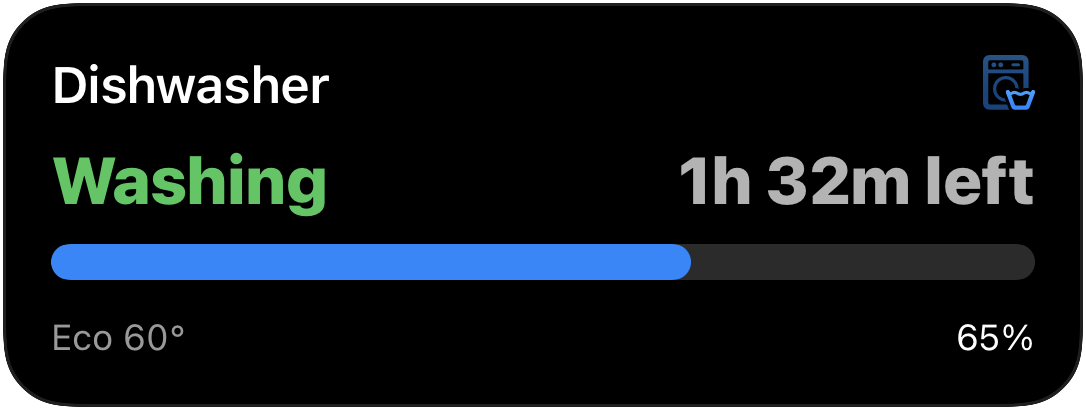
{ "state": "ONGOING", "content": { "template": "progress", "icon": { "name": "washer", "rendering_mode": "hierarchical", "primary_color": "blue", "color_rendering": "gradient" }, "header_left": { "value": "Washing", "text_color": "green" }, "header_right": { "value": "1h 32m left" }, "progress": { "style": "simple", "value": 0.65 }, "footer_left": { "value": "Eco 60°" }, "footer_right": { "value": "65%" } }}EV charging
Section titled “EV charging”Watch your car fill up, with the standard and extended ranges marked out.
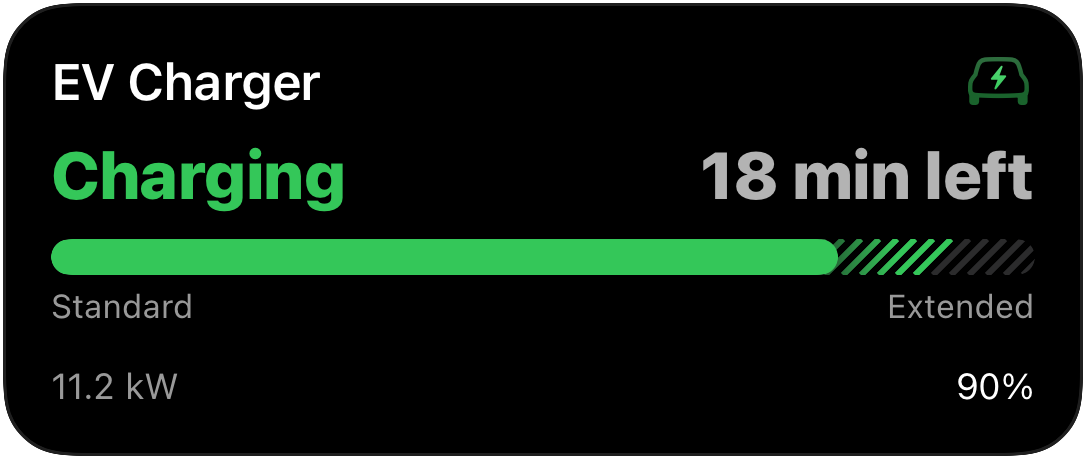
{ "state": "ONGOING", "content": { "template": "progress", "icon": { "name": "bolt.car", "rendering_mode": "hierarchical", "primary_color": "green", "color_rendering": "gradient" }, "header_left": { "value": "Charging", "text_color": "green" }, "header_right": { "value": "18 min left" }, "progress": { "style": "segmented", "value": 0.9, "display": "layered", "segments": [ { "value": 0.8, "fill_color": "green", "label": "Standard" }, { "value": 0.2, "fill_color": "green", "track_fill": "hatched", "label": "Extended" } ] }, "footer_left": { "value": "11.2 kW" }, "footer_right": { "value": "90%" } }}Robot vacuum
Section titled “Robot vacuum”Follow along as it works, room by room.
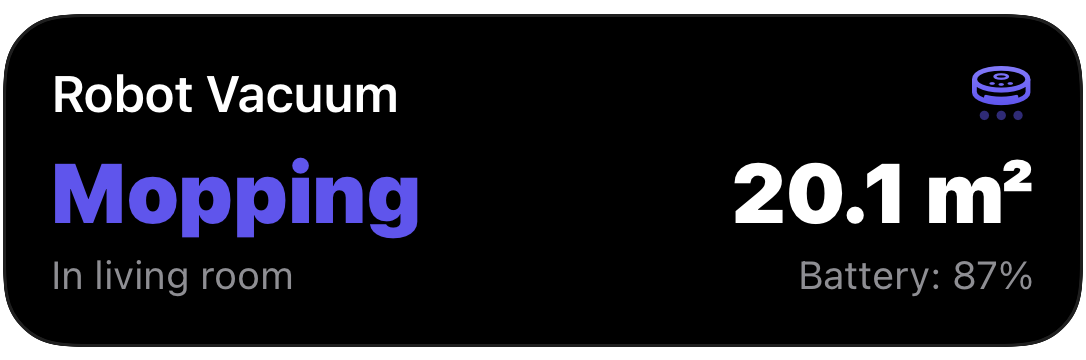
{ "state": "ONGOING", "content": { "template": "monitor", "icon": { "name": "robotic.vacuum.and.ellipsis", "rendering_mode": "hierarchical", "primary_color": "indigo", "color_rendering": "gradient" }, "left_column": { "value": { "value": "Mopping", "text_color": "indigo" }, "footer": "In living room" }, "right_column": { "value": { "value": "20.1 m²" }, "footer": "Battery: 87%" } }}Oven timer
Section titled “Oven timer”A live countdown to dinner, right on your lock screen. The time_until
formatter turns an end time into an auto-updating timer, so you do not need to
keep sending updates.
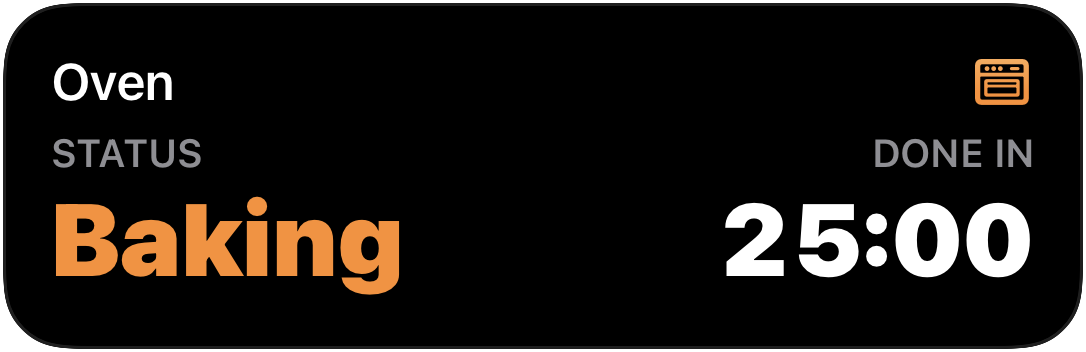
{ "state": "ONGOING", "content": { "template": "monitor", "icon": { "name": "oven", "rendering_mode": "hierarchical", "primary_color": "orange", "color_rendering": "gradient" }, "left_column": { "header": "Status", "value": { "value": "Baking", "text_color": "orange" } }, "right_column": { "header": "Done in", "value": { "value": "2026-05-31T18:45:00Z", "formatter": "time_until" } }, "primary_column": "right" }}For developers
Section titled “For developers”Anything that can make an HTTP request can drive an activity, so the same templates work just as well for your scripts, pipelines, and servers.
CI/CD pipeline
Section titled “CI/CD pipeline”Break a deploy into its stages with a segmented bar, each one lighting up as it completes, with a live elapsed timer in the header.
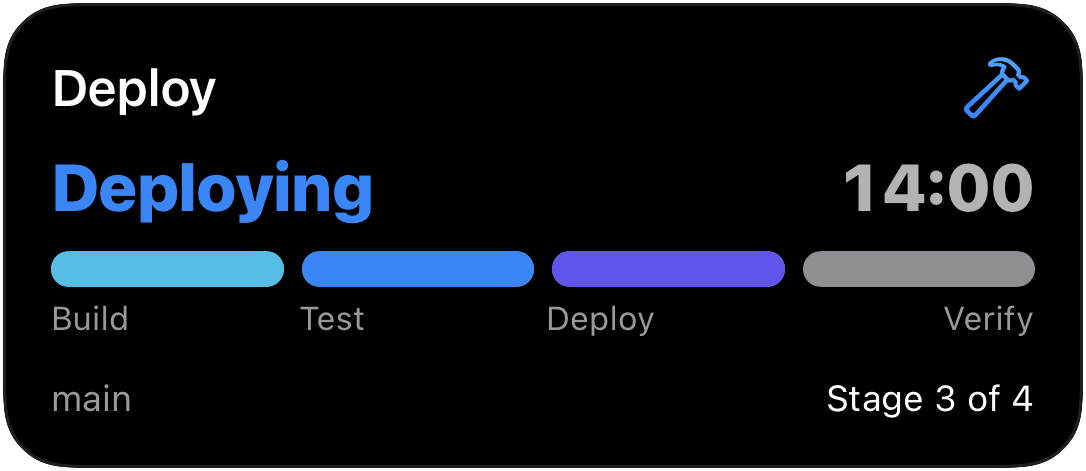
{ "state": "ONGOING", "content": { "template": "progress", "icon": { "name": "hammer", "rendering_mode": "hierarchical", "primary_color": "blue", "color_rendering": "gradient" }, "header_left": { "value": "Deploying", "text_color": "blue" }, "header_right": { "value": "2026-05-31T18:30:00Z", "formatter": "time_since" }, "progress": { "style": "segmented", "value": 0.75, "display": "split", "segments": [ { "value": 0.25, "fill_color": "cyan", "label": "Build" }, { "value": 0.25, "fill_color": "blue", "label": "Test" }, { "value": 0.25, "fill_color": "indigo", "label": "Deploy" }, { "value": 0.25, "fill_color": "gray", "label": "Verify" } ] }, "footer_left": { "value": "main" }, "footer_right": { "value": "Stage 3 of 4" } }}Backups & long-running jobs
Section titled “Backups & long-running jobs”Watch a backup or batch job crawl to the finish line.
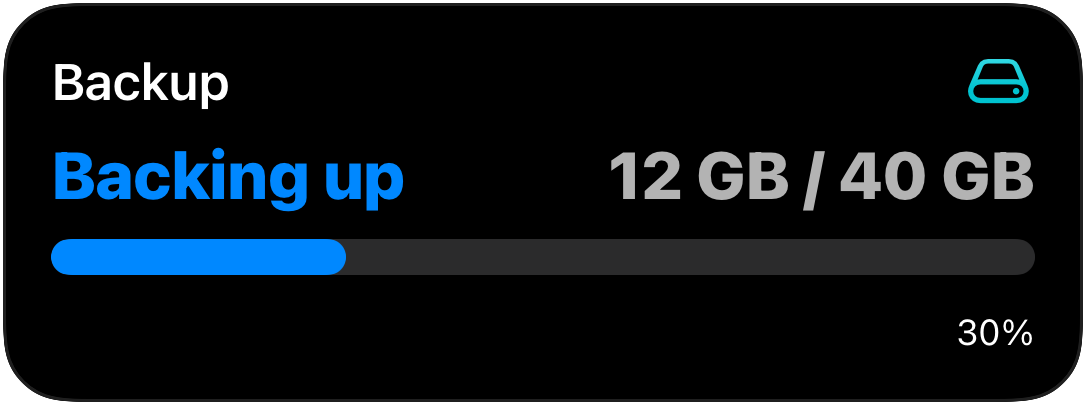
{ "state": "ONGOING", "content": { "template": "progress", "icon": { "name": "externaldrive", "rendering_mode": "hierarchical", "primary_color": "teal", "color_rendering": "gradient" }, "header_left": { "value": "Backing up", "text_color": "blue" }, "header_right": { "value": "12 GB / 40 GB" }, "progress": { "style": "simple", "value": 0.3 }, "footer_right": { "value": "30%" } }}When a job finishes, send the same activity with "state": "IDLE" to dismiss
it. See Activity states for the details.
Keep it on screen with a widget
Section titled “Keep it on screen with a widget”Live Activities shine while something is happening; they start when the task
starts and dismiss when it is done. For the numbers you want visible all day
(battery levels across your devices, electricity prices, today’s energy flow, a
household budget, the next garbage pickup), pair the activity with a
persistent widget. It is the same API and the same
building blocks: create the widget in the app, then keep it current with one
PATCH per change or a ready-made
widget blueprint.