
What is Aivi?
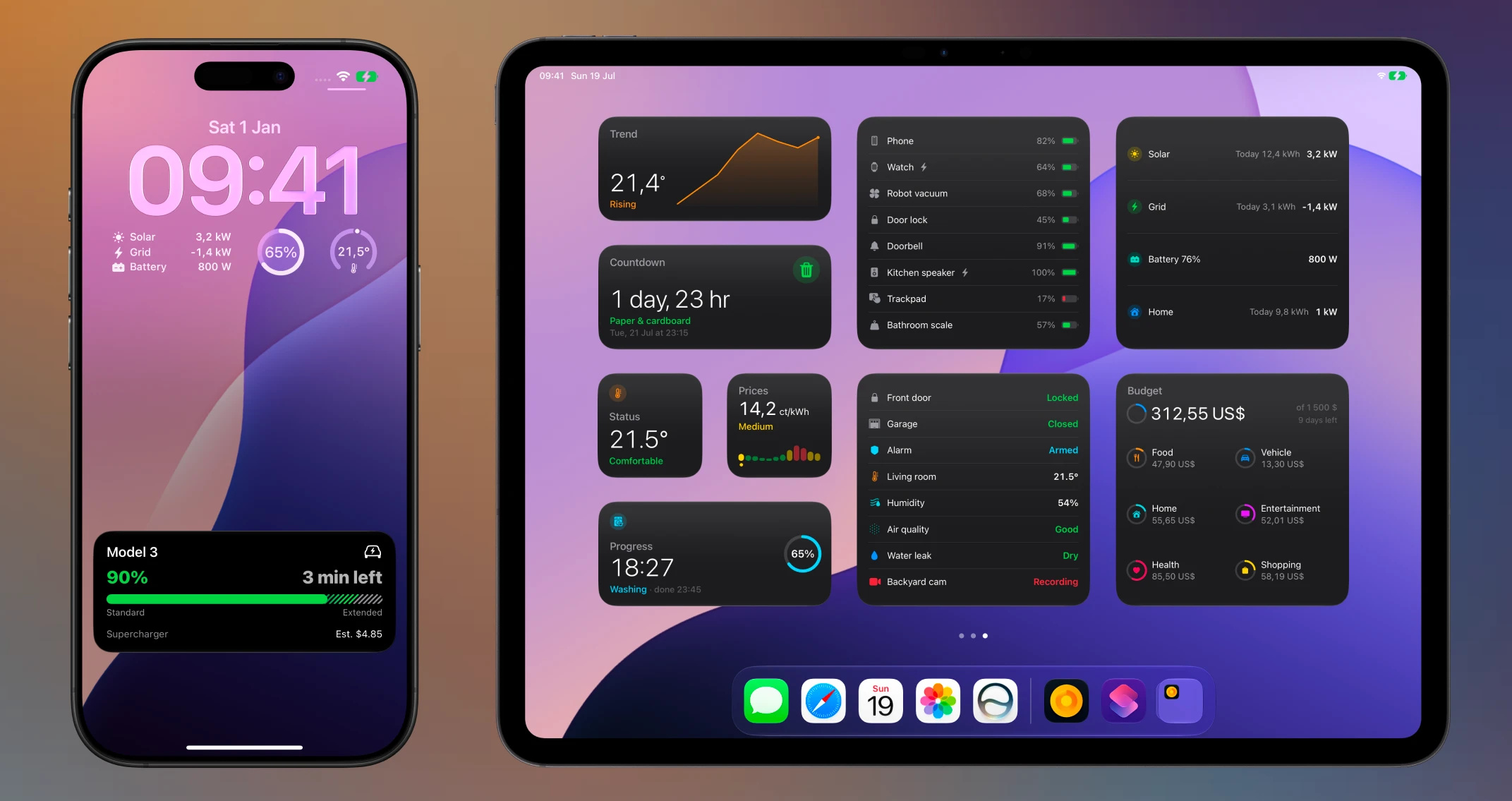
Aivi puts beautiful, real-time Live Activities on your iPhone, lock screen, and Dynamic Island, plus persistent widgets on your Home Screen, Lock Screen, and Apple Watch. It works with Home Assistant out of the box: import a blueprint, pick an entity, and your automations show up live on every subscriber’s device. Under the hood it is a simple HTTP API, so anything that can make a request can drive an activity or a widget too.
Home Assistant
Section titled “Home Assistant”Aivi is the easiest way to bring Live Activities and widgets to Home Assistant. There is a ready-made blueprint for every Live Activity and widget template: import one, point it at your entities, and you are done. No custom components, no HACS, no code.
Because activities are shared, a single automation keeps every member of your household in sync: set it up once, invite the others, and everyone’s devices update together.
Set up Live Activities for Home Assistant walks you through it step by step.
Beyond Home Assistant
Section titled “Beyond Home Assistant”Aivi is a plain HTTP API, so any system that can make an HTTPS request can drive a Live Activity:
- Home and smart devices: dishwashers, washing machines, EV charging, 3D prints, robot vacuums, and oven timers.
- Developers and infrastructure: CI/CD pipelines, deployments, server metrics, cron jobs, backups, and uptime monitors.
If it has a state, you can track it. See the use cases for inspiration.
Always-on widgets
Section titled “Always-on widgets”Live Activities come and go with the task they track. For the state you want
visible all the time (battery levels across your home, electricity prices,
today’s energy flow, a budget), Aivi also drives persistent
widgets on the Home Screen, the Lock Screen, StandBy,
and the Apple Watch. Same API, same Home Assistant pattern, same sharing:
create a widget in the app, update it with one PATCH, and every device that
shows it stays current.
Features
Section titled “Features”- Broad Apple support. Live Activities on iOS, iPadOS, watchOS, CarPlay, and macOS.1
- Live Activity templates. Pick from several activity templates to match your data, from progress bars to status columns.
- Persistent widgets. Ten widget templates, from gauges and sparklines to battery rings and price timelines, keep the latest state on screen around the clock.
- Shared activities and widgets. Invite up to five people, and a single API call keeps everyone’s devices in sync. No extra work to keep the group updated.
- Works with any device. Most smart home devices offer no Live Activities of their own. Aivi bridges that gap for anything, old or new.
- Auto-updating timers. Countdown and elapsed timers update on-device with no extra API calls.
- Power-efficient. Aivi only sends data when something changes, so your devices do not waste battery checking for updates.
Get started
Section titled “Get started”Community & updates
Section titled “Community & updates”- Community Hub: report bugs and showcase your use cases.
- X & Bluesky: updates and announcements.
Footnotes
Section titled “Footnotes”-
Mirroring Live Activities on macOS is not available in the EU. ↩