
Changelog
Ready for iOS 27
Section titled “Ready for iOS 27”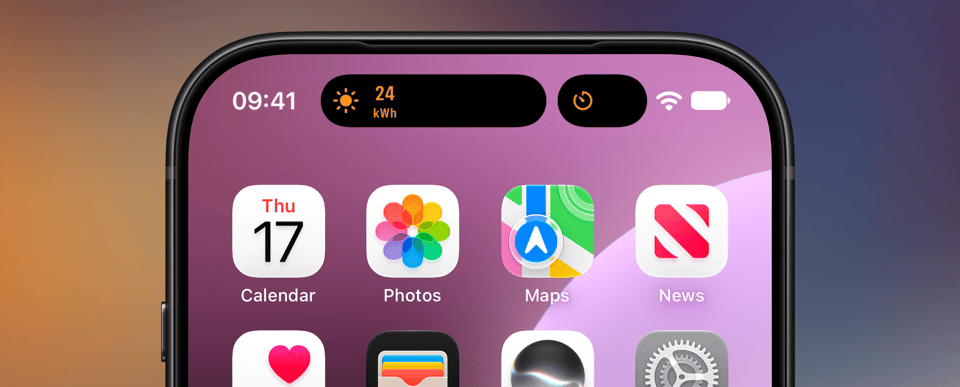
A release for the new iPhones and iOS 27, with fixes gathered since the widgets launch.
Live Activities in the landscape Dynamic Island
Section titled “Live Activities in the landscape Dynamic Island”On iOS 27 the Dynamic Island shows Live Activities in landscape too, and the
newest iPhones have a narrower island. In both cases the compact presentation
has room for about four characters, so the templates now adapt instead of
cutting text off: a reading shows its number with the unit underneath
(24 over kWh), countdowns and elapsed timers keep ticking as minutes and
seconds, and the Generic template folds its icon into a progress ring. Nothing
changes in portrait. See the Templates docs for more
details.
Widgets
Section titled “Widgets”Home Screen widgets now use the same background as Apple’s own widgets, so they match exactly in light and dark instead of looking a shade lighter.
Widgets
Section titled “Widgets”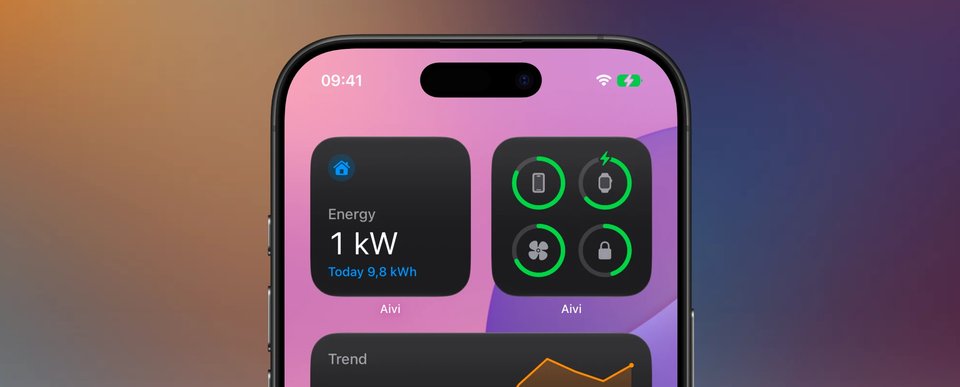
Aivi grows a second layer. Live Activities cover the moment; widgets cover everything that doesn’t start or end: persistent, glanceable, and always showing the latest known state. Create a widget in the app, place it on the Home Screen, Lock Screen, StandBy, or Apple Watch, and every update lands on all of them at once. You can have up to 20.
Ten templates built for standing data: Status, Gauge, Trend, Progress, Countdown, Battery, List, Prices, Energy, and Budget. Every template renders at all the widget sizes, and the Board widget tiles several of your widgets together in one grid. Predictable data stays live between updates: countdowns tick, progress bars advance, the price chart follows the current hour. A freshness setting shows “as of 14:32” instead of presenting old data as current.
Sharing and privacy
Section titled “Sharing and privacy”Share any widget with an invite link. Subscribing needs no account, and you can see and remove subscribed devices at any time. A per-widget privacy setting hides content while a device is locked.
On the Apple Watch
Section titled “On the Apple Watch”Every template renders as corner, circular, rectangular, and inline complications. Widgets join the Smart Stack and surface when they matter (a task about to finish, a battery running low), and the new watch app lets you browse your widgets from the wrist.
Feeding your widgets
Section titled “Feeding your widgets”Update from Home Assistant, from the new Update Widget Shortcuts action, or from anything that can reach the web. Every widget’s Connect screen hands you ready-made snippets, prefilled for that widget. See the Widget Templates docs for every template with previews and example payloads.
A new look, and a real iPad app
Section titled “A new look, and a real iPad app”The whole app got a facelift: a design pass across every screen, rebuilt create and onboarding flows, previews on a glass Lock Screen stage, an activity history timeline, a native three-column iPad layout, and VoiceOver + Dynamic Type throughout.
Read the full write-up in our blog post.
Forever activities and priority
Section titled “Forever activities and priority”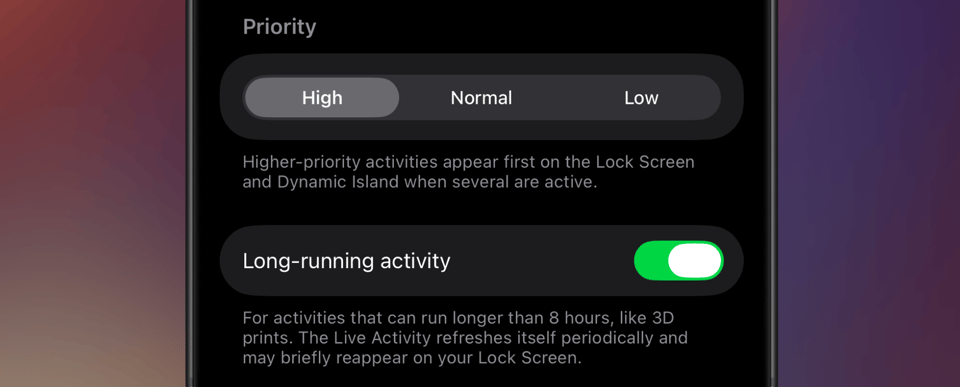
Live Activities normally end at Apple’s eight-hour limit. Turn on Long-running when you create or edit an activity, and Aivi carries it past that: just before one expires, it quietly replaces it with a fresh Live Activity. This continues for as long as you keep updating the activity. When your updates stop, Aivi takes that as the activity being over and ends it for you, so you are never left with a frozen card stuck on your Lock Screen. Each replacement is a new Live Activity, so it may briefly reappear on your Lock Screen when it happens.
Activity priority
Section titled “Activity priority”Activities can now be set to High, Normal, or Low. When several are active at once, higher-priority activities appear first on the Lock Screen and Dynamic Island.
Both settings live on the activity in the app, so they apply however you drive your updates. Read the full write-up in our blog post.
Also new: annual billing. Pay $23.99/year, about $2/month, or keep the $2.99/month plan. See pricing.
SF Symbol icon customization
Section titled “SF Symbol icon customization”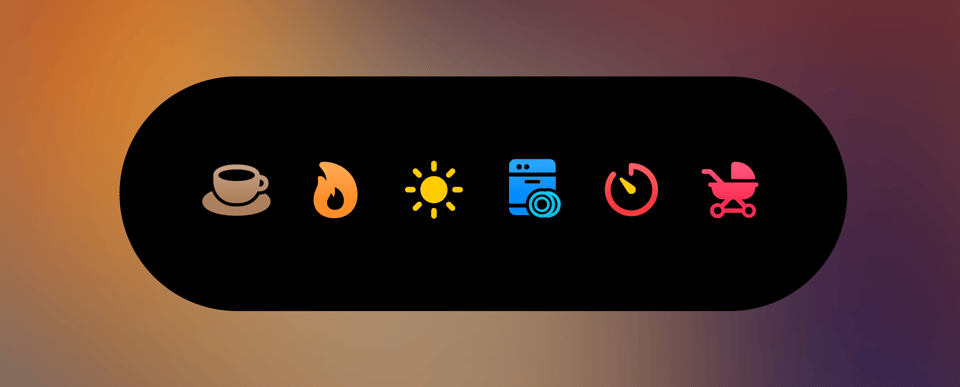
Icons are no longer limited to a name and a default color. The icon field now
accepts an object with full control over how an SF Symbol is rendered:
- Rendering modes: monochrome, hierarchical, palette, and multicolor.
- Layer colors: assign up to three colors (primary, secondary, tertiary) to a symbol’s layers.
- Color rendering: choose between flat fill and gradient.
Plain strings still work, so existing payloads stay compatible, and the Home Assistant blueprints have been updated to expose the new options as inputs. Re-import to pick them up.
Read the full write-up in our blog post.
Progress template, tap actions, and activity history
Section titled “Progress template, tap actions, and activity history”This is a big release. Here’s what’s new:
Progress template
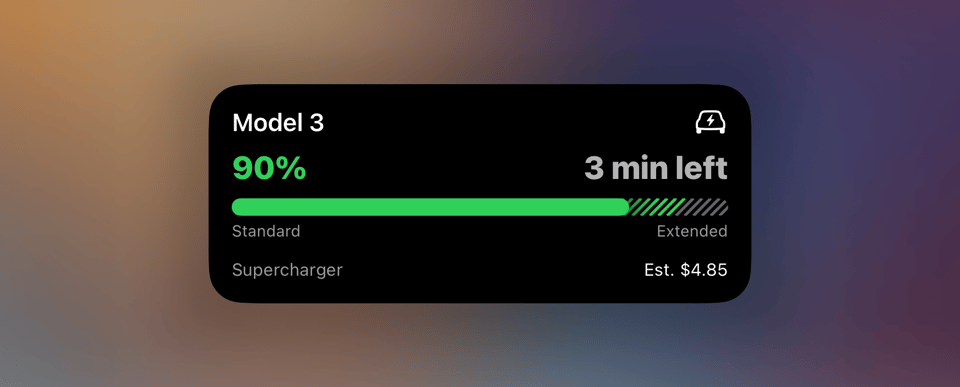
Section titled “Progress template”A brand-new template that replaces Generic with a far more flexible progress visualization. Segmented bars with individual colors and labels, two display modes (split and layered), hatched track patterns for overflow zones, and customizable header/footer slots.
Read the full write-up in our blog post.
Tap action URL
Section titled “Tap action URL”Live Activities can now open a URL when tapped. Add tap_url to any template’s
content to deep-link into another app or open a webpage, directly from the lock
screen or Dynamic Island.
Activity history
Section titled “Activity history”See the 10 most recent state changes for any activity, right from the detail page. Handy for verifying that automations are firing as expected.
Other changes
Section titled “Other changes”- Activity list now shows each activity’s configured SF Symbol icon.
- New color options:
gray2throughgray6for finer control over track colors.
Configurable dismissal delay
Section titled “Configurable dismissal delay”We’ve introduced the ability to customize how long a Live Activity remains on your screen after it finishes. Previously fixed at 10 minutes, v1.1.3 allows you to configure this delay on a per-activity basis, ranging from immediate dismissal up to 4 hours.
Additionally, v1.1.3 resolves the remaining edge cases where using the
time_until filter in the Monitor template could result in the app crashing.
Monitor template fix awaiting review
Section titled “Monitor template fix awaiting review”We’ve identified that the previous update (v1.1.2) didn’t fully resolve the
crashes associated with the time_until filter in the new Monitor template.
We’ve addressed the remaining edge cases and submitted a final fix to Apple
for review.
Version v1.1.3 will be available as soon as it is approved. In the meantime,
please continue to avoid using the time_until filter with an end time in the
past.
We appreciate your continued patience as we resolve this!
Monitor template bugfix released
Section titled “Monitor template bugfix released”The fix for the crash caused by the time_until filter with an end time in
the past has been approved and is now available as v1.1.2. Update your Aivi
app to get the fix.
Monitor template bugfix awaiting release
Section titled “Monitor template bugfix awaiting release”We’ve identified a bug that may cause the app to crash when a monitor activity using the ‘time until’ filter has an end time in the past.
As a temporary measure, avoid using the time_until filter until v1.1.2 has
been released.
A fix has been submitted to Apple for review and will be released as soon as possible (v1.1.2). We appreciate your patience while we resolve this!
Monitor template
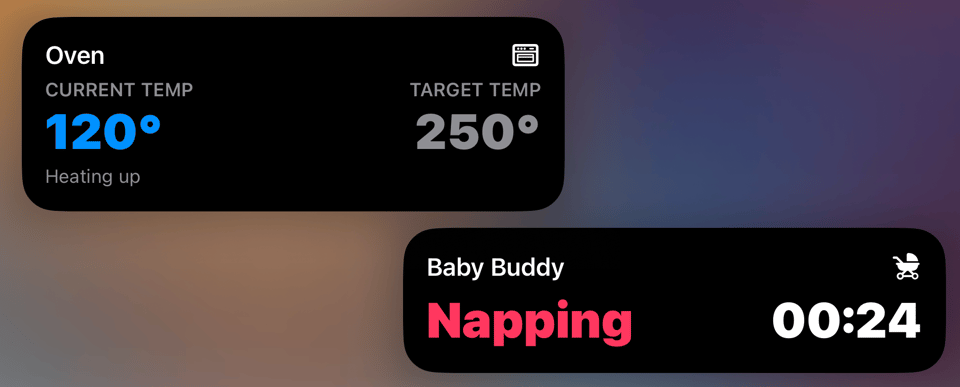
Section titled “Monitor template”The Monitor template expands the Generic lineup with a layout made for Live Activity status updates that don’t fit a progress bar.
Highlights
Section titled “Highlights”- Two-column layout with optional labels, values, and color-coded states.
- Column priority controls for compact surfaces like Dynamic Island, watchOS, and CarPlay.
- Built-in timer and stopwatch formatting for accurate time displays without extra updates.
- Home Assistant blueprint with optional headers/footers, value colors, and visibility rules.
Other changes
Section titled “Other changes”- You can now modify existing activities on the fly without having to recreate them from scratch.
Get started
Section titled “Get started”Update your Aivi app to v1.1.1 and review the Monitor template guide.