
Templates
A template decides what a live activity looks like on the device.
Generic Template
Section titled “Generic Template”ID: generic
The generic template works best for activities that map cleanly to a progress bar.
Home Assistant
Section titled “Home Assistant”Use the Home Assistant quick-start blueprint to post Live Activity updates using the Generic template.

API schema
Section titled “API schema”| Field | Type | Description | Required? |
|---|---|---|---|
template | "generic" | Identifies this template. | Yes |
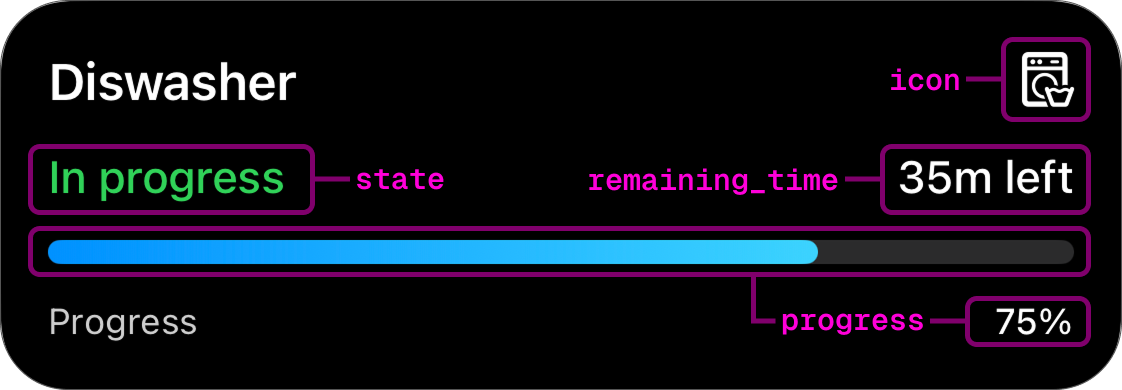
progress | float | Progress of the activity in range [0.0-1.0]. | Yes |
state | string | Describes the state of the activity. | No |
icon | string | An SF Symbols icon. | No |
remaining_time | int | Remaining time in seconds. | No |
To get a better understanding of how this schema correlates to a displayed live activity, see the picture below:
Example payload
Section titled “Example payload”{ "template": "generic", "progress": 0.35, "state": "In progress", "icon": "washer", "remaining_time": 2120}Preview
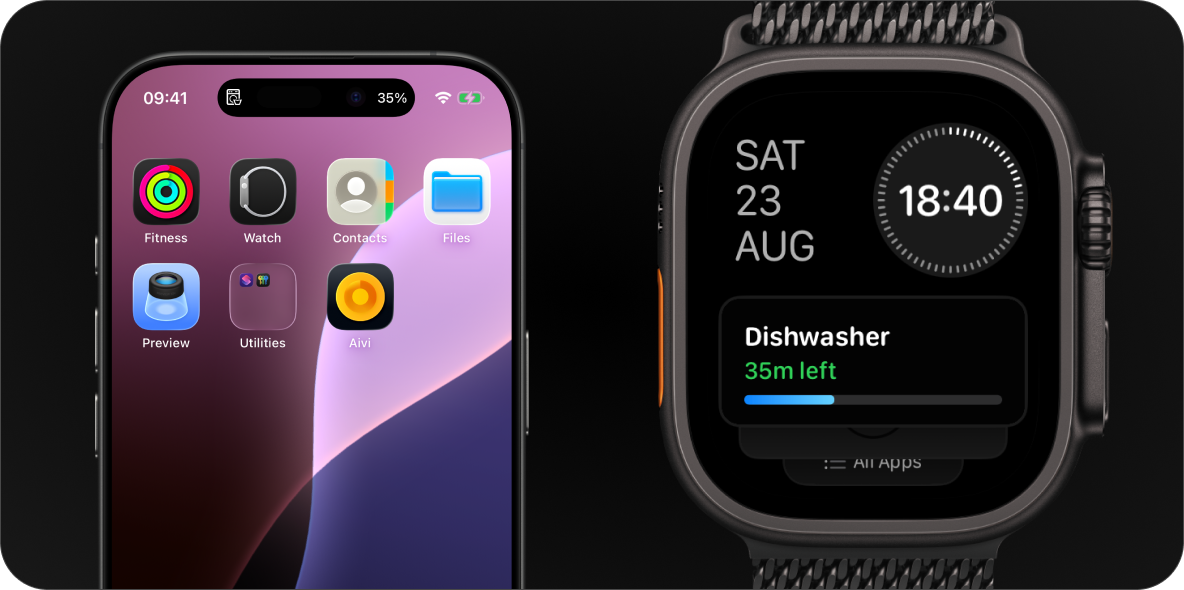
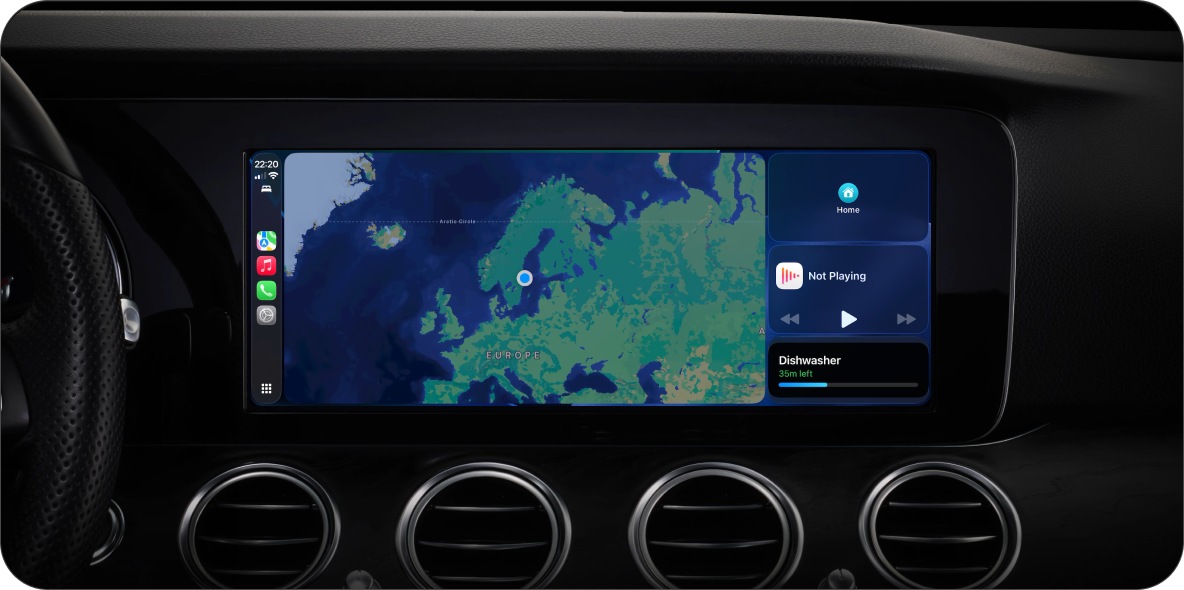
Section titled “Preview”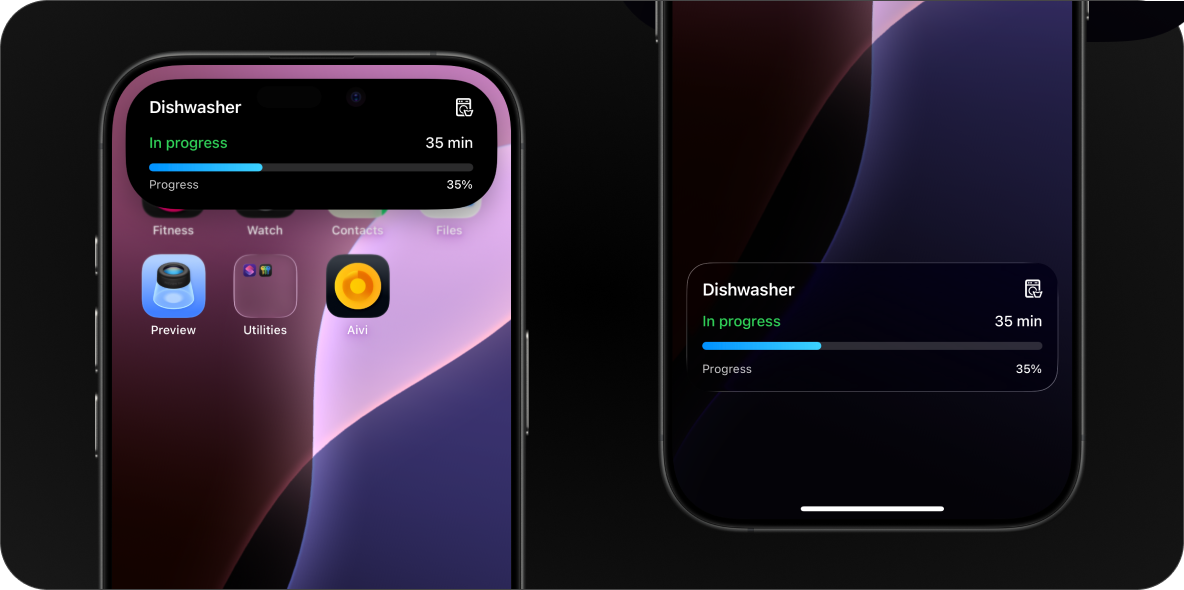
Monitor Template New
Section titled “Monitor Template ”ID: monitor
The monitor template is designed for tracking a live status with one or two columns of labeled values.
Home Assistant
Section titled “Home Assistant”Use the Home Assistant quick-start blueprint to post Live Activity updates using the Monitor template.
API schema
Section titled “API schema”| Field | Type | Description | Required? |
|---|---|---|---|
template | "monitor" | Identifies this template. | Yes |
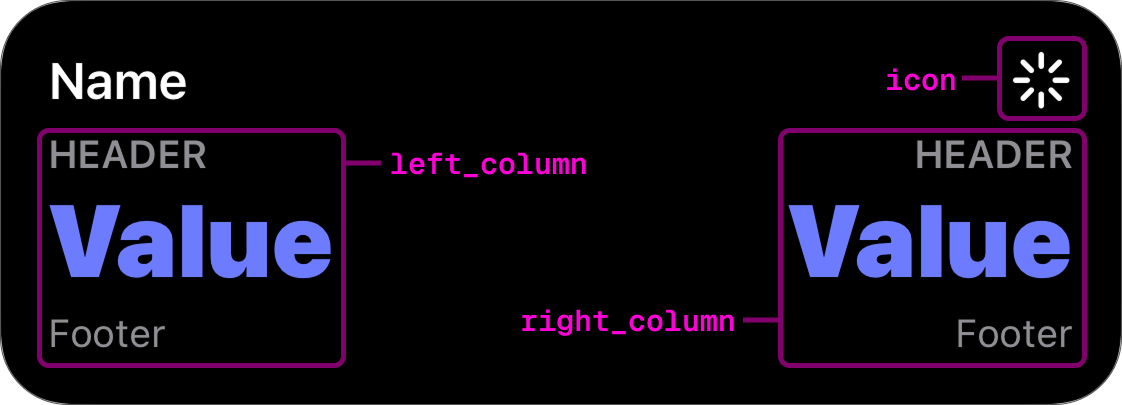
icon | string | An SF Symbols icon. | No |
left_column | Column | Left column payload. | No |
right_column | Column | Right column payload. | No |
primary_column | "left" | "right" | Column emphasized in compact layouts. | No |
To get a better understanding of how this schema correlates to a displayed live activity, see the picture below:
Column object
Section titled “Column object”| Field | Type | Description | Required? |
|---|---|---|---|
header | string | Short label above the value. | No |
value | Value | Value payload. | Yes |
footer | string | Optional label below the value. | No |
Value object
Section titled “Value object”| Field | Type | Description | Required? |
|---|---|---|---|
value | string | Value to display. | Yes |
text_color | Color | Text color for the value. | No |
formatter | Formatter | Controls how the raw value is displayed. | No |
Color identifiers map to SwiftUI system colors. Swatches below show approximate previews.
| Identifier | Preview |
|---|---|
red | |
orange | |
yellow | |
green | |
mint | |
teal | |
cyan | |
blue | |
indigo | |
purple | |
pink | |
brown | |
gray |
Formatter
Section titled “Formatter”A formatter decides how to display the raw value field. If formatter is
omitted or provided with null, it will display the value as-is without any
transformation.
| Identifier | Description |
|---|---|
time_since | Formats an ISO8601 timestamp as an auto-updating elapsed timer. |
time_until | Formats an ISO8601 timestamp as an auto-updating countdown timer. |
Example payload
Section titled “Example payload”{ "template": "monitor", "icon": "robotic.vacuum.and.ellipsis", "left_column": { "value": { "value": "Mopping", "text_color": "indigo" }, "footer": "In living room" }, "right_column": { "value": { "value": "20.1 m²" }, "footer": "Battery: 87%" }}Preview
Section titled “Preview”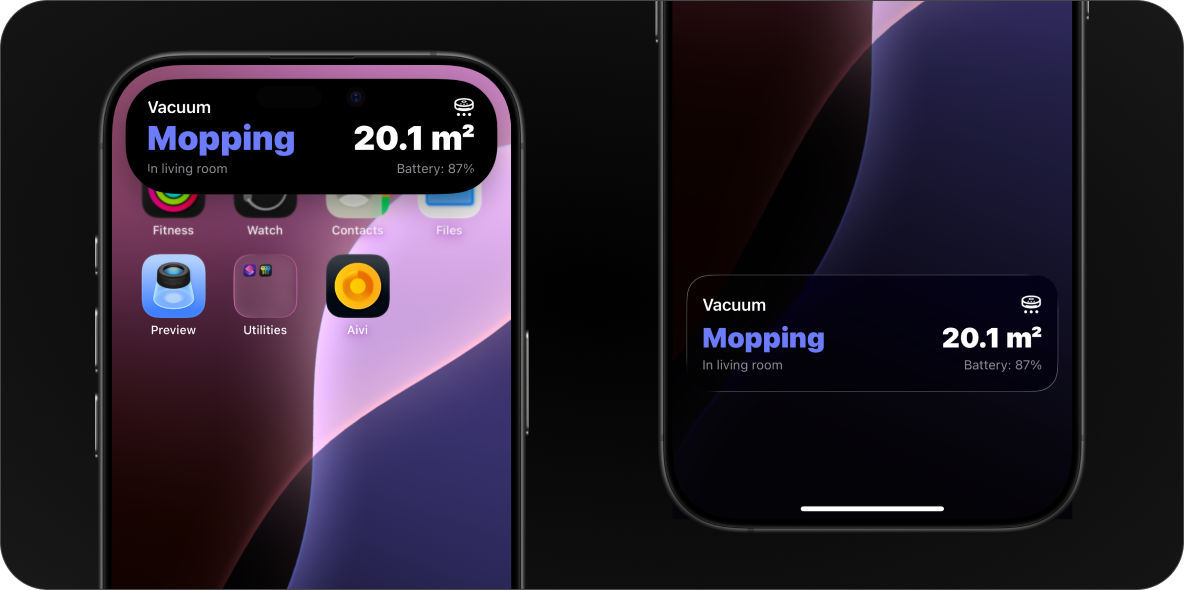
Finding SF Symbols
Section titled “Finding SF Symbols”To browse the full catalog of available symbols, you can use one of the following apps:
- SF Symbols — Apple’s official app for macOS.
- Interactful — A free third-party SF Symbols browser for iPhone and iPad. Look under Foundations → Iconography.